
SASSA Online Application 2026 & How to Apply for the SRD R370 Grant

Free Information

All South Africans

Trusted Resources

Need Immediate Help?

SASSA Toll-Free Line
0800 60 10 11

Available Monday to Friday, 8:00 AM – 4:00 PM

What Is the SASSA Social Grant Application?

The SASSA online application is the digital process through which South Africans apply for social grants including the Social Relief of Distress (SRD) R350/R370 grant without visiting a physical office. Applications, status checks, appeals, and banking updates are all handled through the official srd.sassa.gov.za portal, plus supporting channels like WhatsApp and the Moya App.
What is Sassa Application?
Sassa Application

Who Is Eligible to Apply Online?

Eligibility Requirements
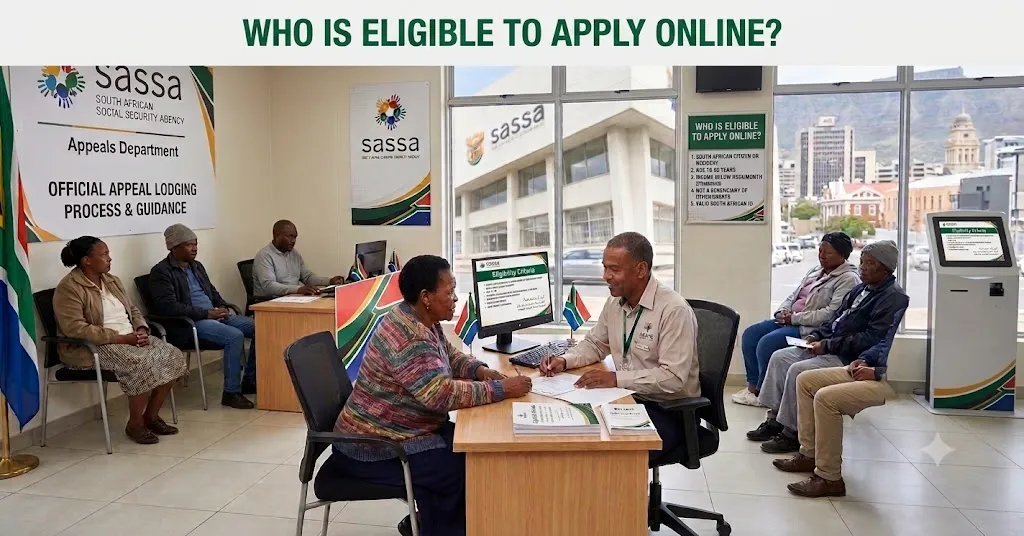
Who Is Eligible to Apply Online

Bank account details or an approved alternative payment method on hand

South African citizens, permanent residents, or refugees registered with Home Affairs

Unemployed and not receiving any other income or grant (for SRD specifically)

Not currently receiving UIF payments above the qualifying threshold

Between 18 and 59 years old for SRD (older or younger applicants fall under different grant categories)

Types of SASSA Grants You Can Apply For

Grant TypeWho It’s ForTypical Amount Range
SRD R370Unemployed adults 18–59 with no other incomeR370/month
Old Age GrantSouth Africans 60 and olderVaries by means test
Disability GrantAdults with a confirmed disabilityVaries by means test
Child Support GrantPrimary caregivers of children under 18Per child, monthly
Foster Child GrantLegal foster parentsPer child, monthly
Care Dependency GrantCaregivers of children with severe disabilitiesMonthly, higher rate
War Veterans GrantQualifying war veteransVaries

So, the SRD R370 grant remains the most commonly applied-for online, since it has the fastest, fully digital SAASA appeal application path compared to grants that still require in-person verification for certain document types.

Documents You’ll Need Before Applying

  • South African ID number (or asylum/permit number for refugees and permanent residents)
  • Proof of residence, if requested
  • Bank account details, if you want direct deposit rather than cash collection
  • Proof of income status (or lack thereof) for means-tested grants
  • Supporting documents specific to the grant e.g., a disability assessment report, a child’s birth certificate, or foster care court order

Don’t submit blurry or cropped document photos rejected uploads are one of the most common causes of processing delays.

How to Complete Your SASSA Online Application (Step-by-Step)

Step 1: Access the Official SASSA SRD Website
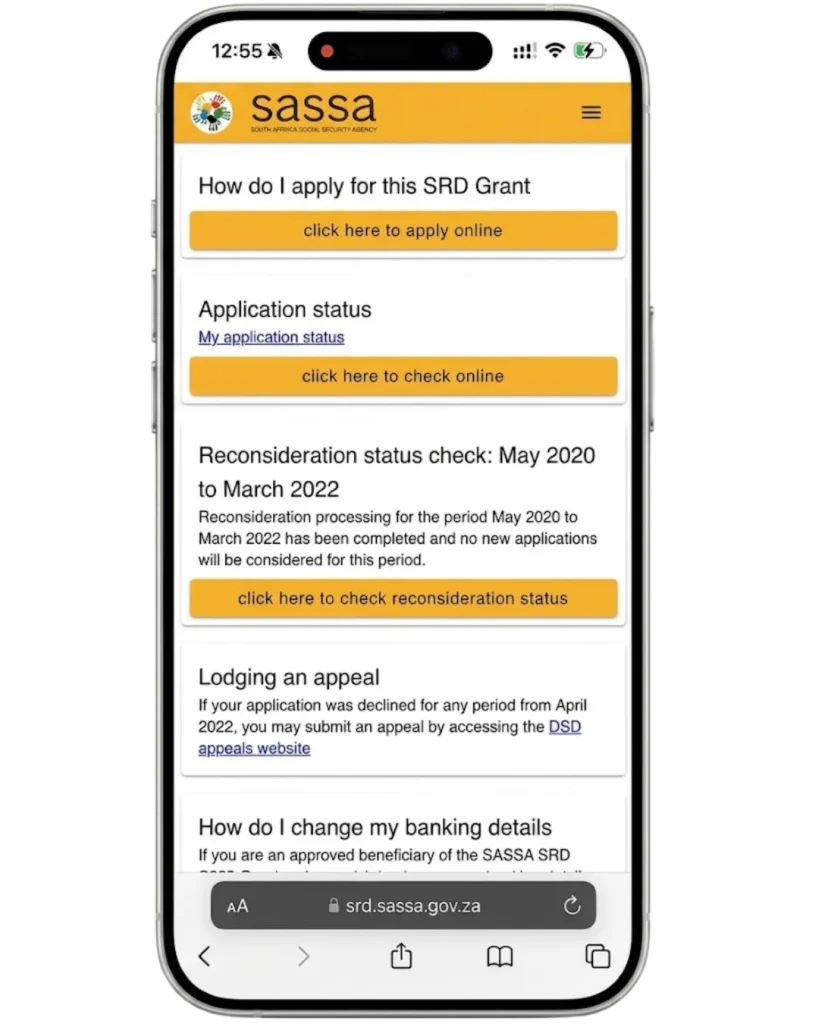
Step 1: Access the Official SASSA SRD Website

Go to srd.sassa.gov.za directly. Avoid third-party sites claiming to submit applications on your behalf SASSA never charges a fee to apply.

Step 2: Register or Log In
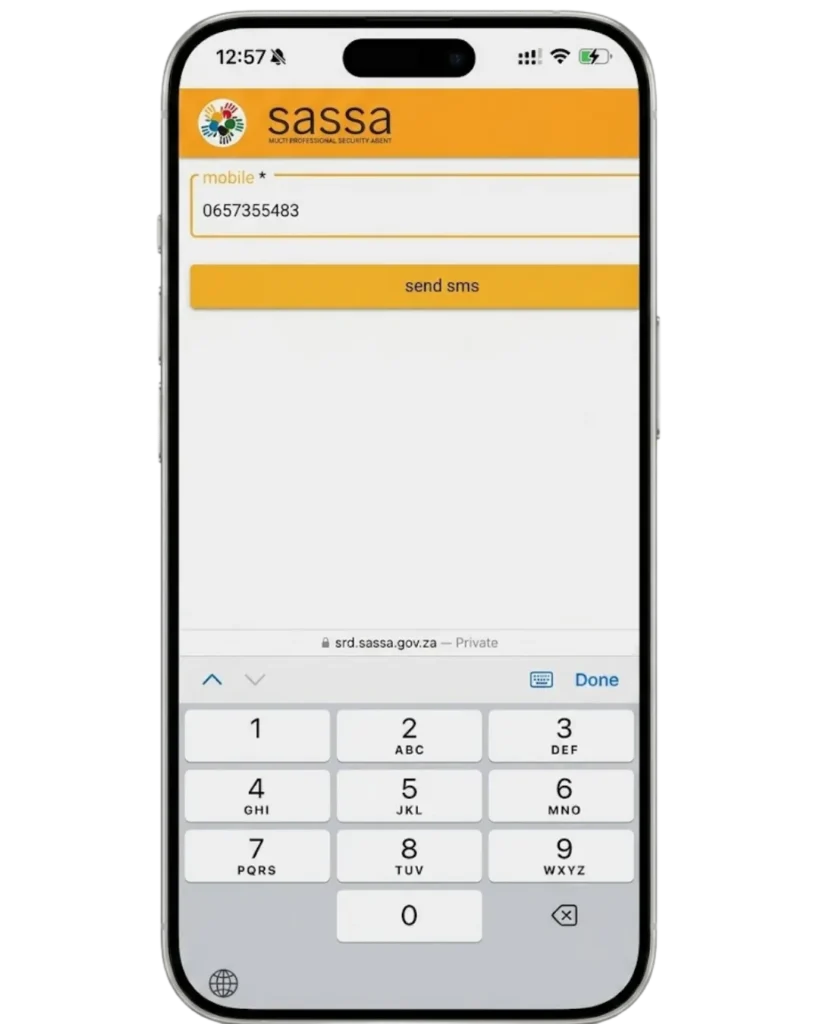
Step 2: Register or Log In

First-time applicants create a profile using their ID number and cellphone number. Returning applicants simply log in with existing credentials.

Step 3: Accept Declarations and Consent
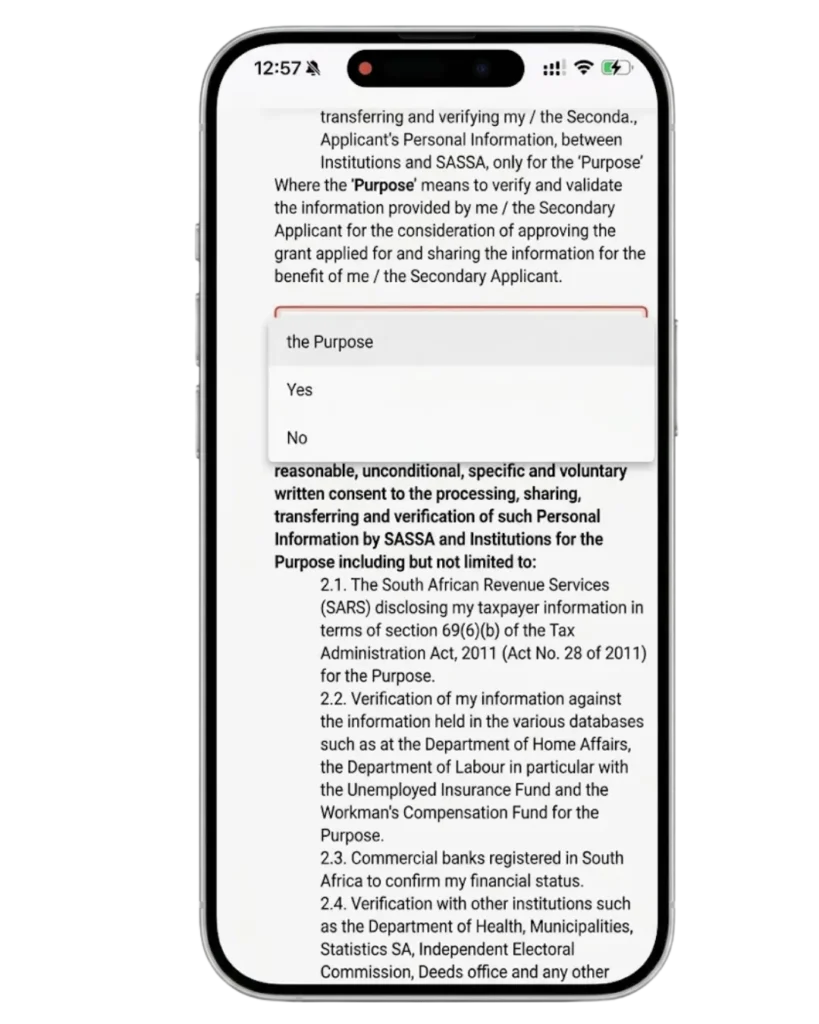
Step 3 Accept Declarations and Consent

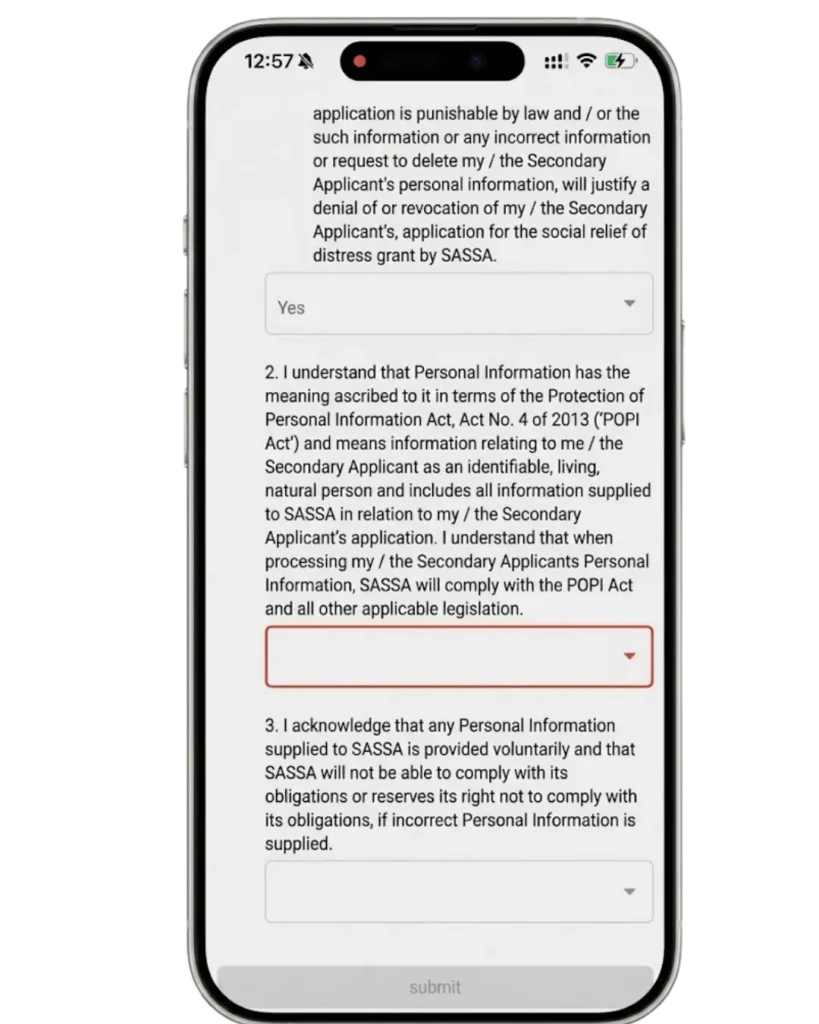
You’ll be asked to confirm that the information you provide is accurate and consent to SASSA verifying it against other government databases (Home Affairs, UIF, SARS).

Step 4: Complete the Online Application Form

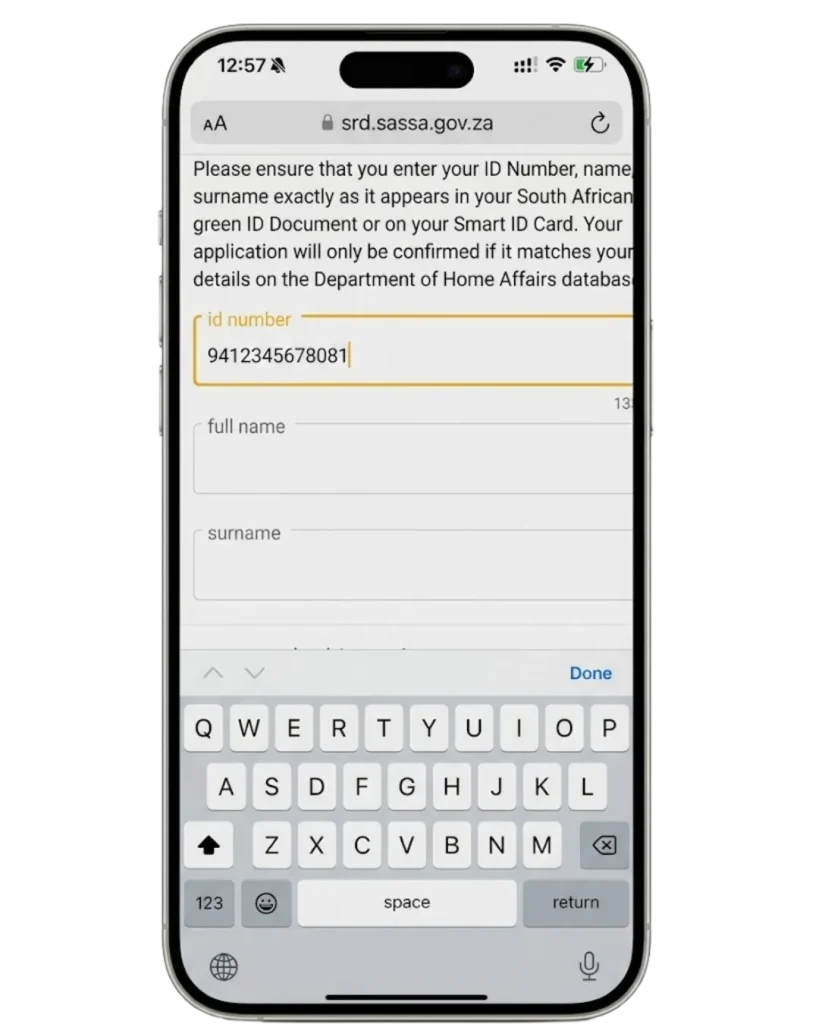
Fill in your personal details, grant type, and any grant-specific information requested (dependents, disability details, etc.).
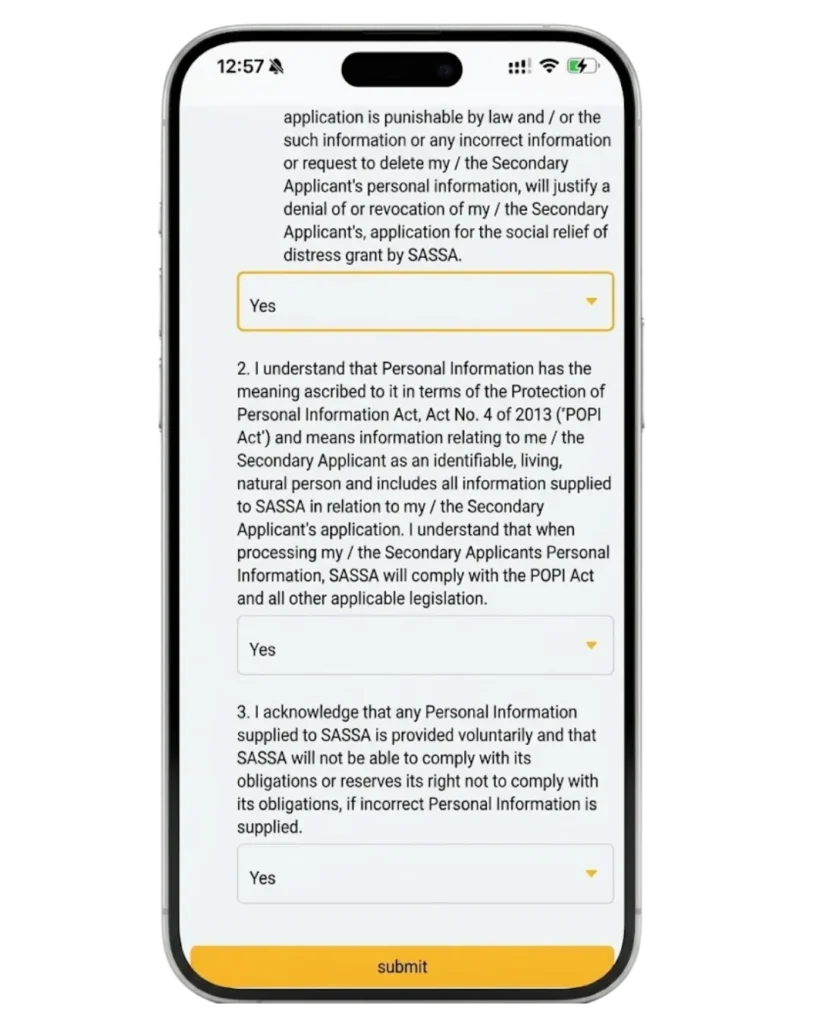
Step 4 Complete the Online Application Form

Why this matters: an incomplete form is one of the fastest ways to trigger an automatic decline double-check every field before moving on.

Step 5: Choose Your Payment Method
Step 5 Choose Your Payment Method

Select bank deposit, SASSA Gold Card, or cash collection at this stage. (You can change this later if needed.)

Step 6: Review Your Application
Step 6 Review Your Application

Check every entered detail against your ID and supporting documents before submitting this step catches most typos that would otherwise cause a rejection.

Step 7: Verify Your Information
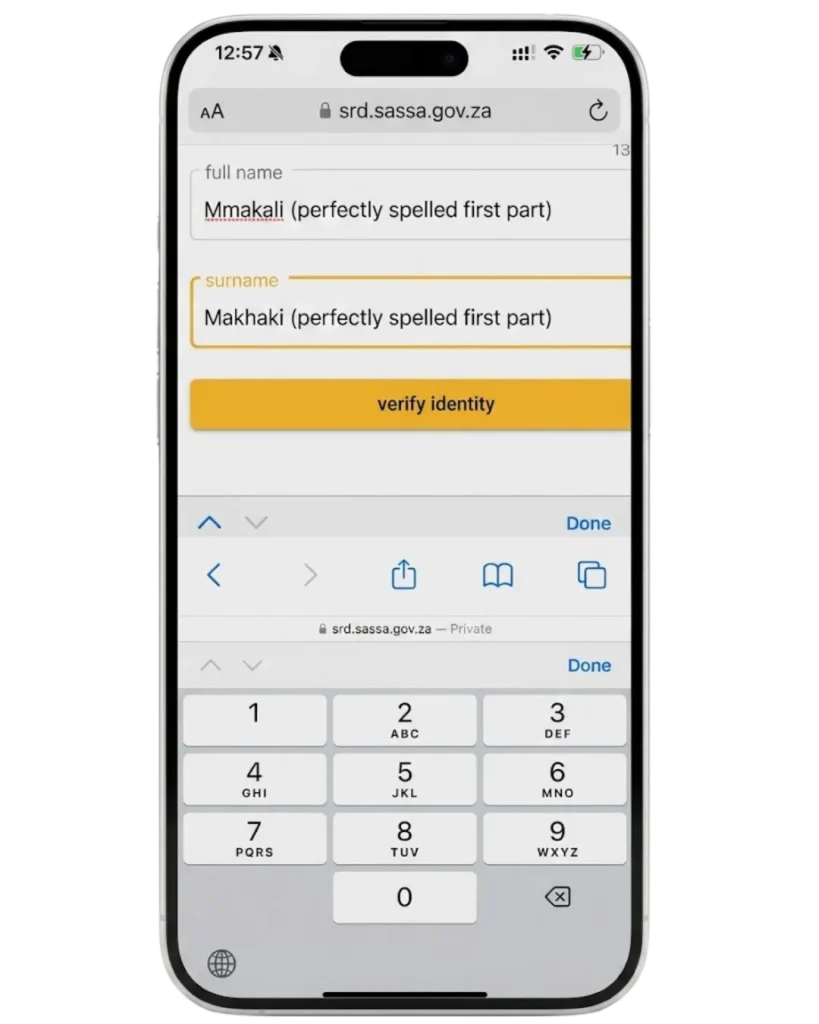
Step 7 Verify Your Information

Complete any requested identity verification, which may include OTP confirmation or a face scan, depending on the grant type.

Step 8: Submit Your Application
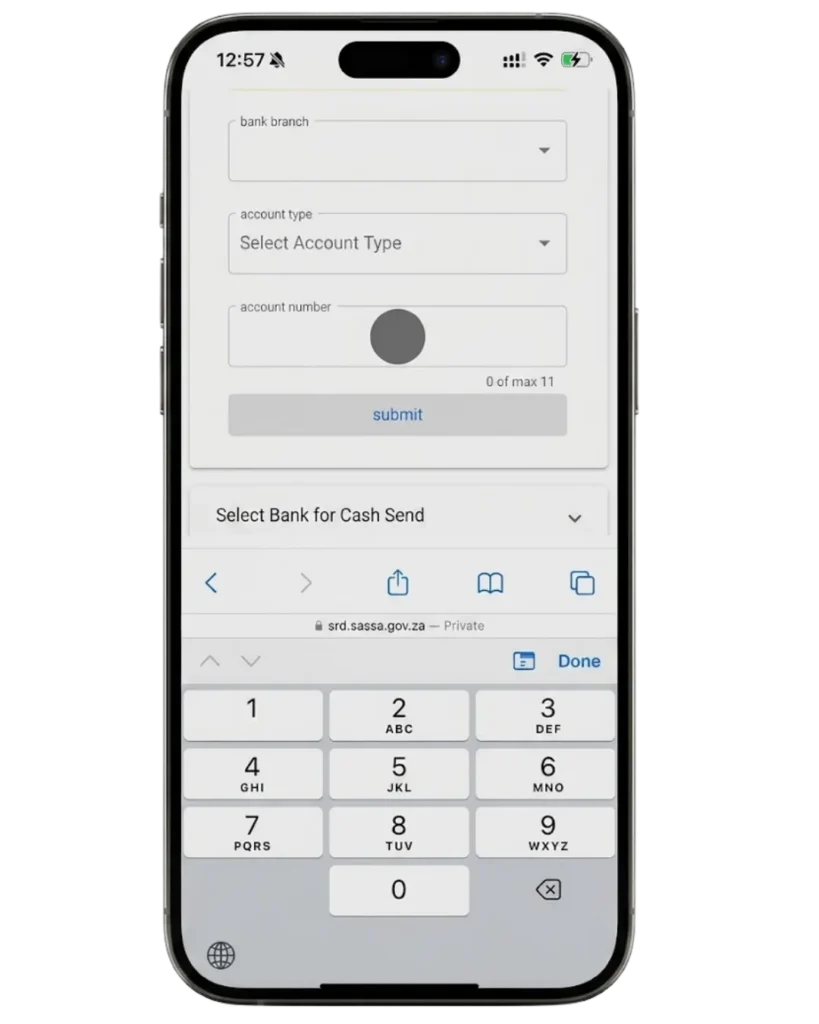
Step 8 Submit Your Application

Once submitted, you’ll receive a confirmation message with your application reference number keep this for status checks and any future appeal.

Step 9: Track Your Application Status
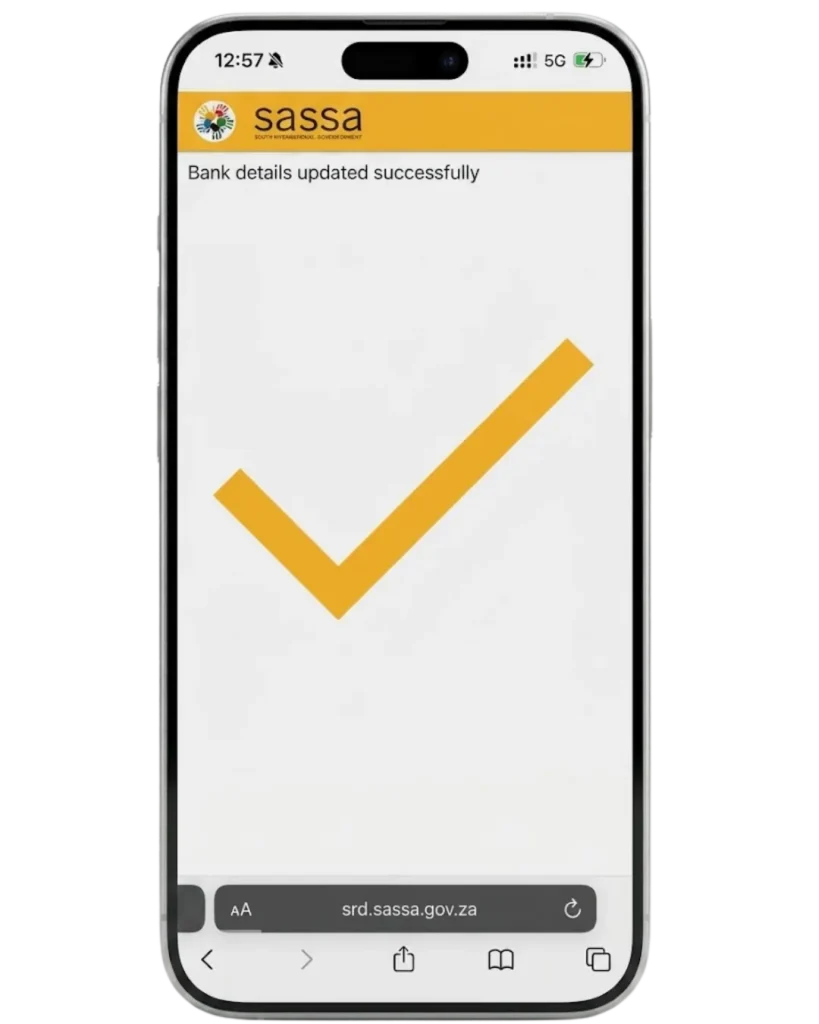
Step 9 Track Your Application Status

Use the reference number and your ID to check your status at any point going forward.

Understanding SASSA’s Verification Process

After submission, SASSA cross-checks your application against:

  • Home Affairs: to confirm your identity and citizenship/residency status
  • UIF and SARS records: to confirm you’re not already receiving disqualifying income
  • Other grant databases: to prevent duplicate grant payments
  • Banking details: to confirm the account belongs to you, if you selected bank deposit

This automated cross-check is why some approvals happen within days while others sit in “pending” for weeks it depends on how quickly each linked database responds. Once your application clears this stage, you can check the Payment Dates to see when your funds are expected to be paid out.

How to Check Your SASSA Application Status Online

  • Go to the official SRD status check page.
  • Enter your ID number and the cellphone number linked to your application.
  • Submit to view your current status: Approved, Pending, Declined, or Under Review.

Application Status Outcomes

StatusWhat It Means
ApprovedYour application passed all checks — a payment date will follow
PendingStill being verified against linked databases
DeclinedFailed one or more eligibility checks — a reason code is provided
Under ReviewFlagged for manual review, often due to a data mismatch

Common Reasons for Application Delays or Rejections

  • Income or UIF records show you exceed the qualifying threshold
  • ID or personal details don’t match Home Affairs records exactly
  • Duplicate application or already receiving another grant
  • Missing or unreadable supporting documents
  • Bank account not verified or not in the applicant’s name

Common Mistakes to Avoid

  • Applying with an outdated cellphone number linked to your profile
  • Submitting the same application multiple times, which can flag it as duplicate
  • Ignoring a “pending” status for months instead of checking for updates
  • Assuming a declined status is final without checking your appeal window

How to Submit a SASSA Appeal Application (R350/R370)

If your application was declined, you have the right to submit a SASSA appeal application rather than accepting the outcome outright.

  • Log in to the official SRD portal within 30 days of your rejection notice.
  • Locate the appeal option linked to your declined application.
  • Select the specific reason your application was rejected, from the list provided.
  • Submit the appeal for review by the independent tribunal.
  • Check your appeal application status using the same status-check portal, selecting the appeal-specific option.

An R370 appeal application follows the identical process to an R350 appeal the underlying SRD grant simply changed its published amount, not its procedure.

A few important notes on the appeal process:

  • Appeals typically take around 90 days for a decision, though volume affects turnaround.
  • A “pending” appeal status means it’s still under tribunal review, not that something has gone wrong.
  • If your appeal is approved, backdated payments for the months you were incorrectly declined are sometimes included in your next payout.
  • If your appeal itself shows as “failed” to submit, this is usually a technical or session error try resubmitting through the official portal rather than a third-party checker site.

Reapplying for the R350 or R370 Grant

If your grant lapsed, you found employment and later lost it again, or your appeal was ultimately unsuccessful, you can submit a fresh SASSA reapplication rather than continuing to appeal an already-finalized decision.

  • Reapplication uses the same online form as a first-time application.
  • You’ll need to provide updated income and employment status.
  • A reapplication doesn’t require referencing your previous application ID, though having it on hand can speed up cross-checking.

When to Expect Your Money

Once approved (whether through initial application, reapplication, or a successful appeal), payment follows the standard SRD payment cycle released in a rolling window based on your approval date, not a single fixed day for everyone. Bank-linked payments typically clear faster than cash collection at a Post Office or retail point.

Alternative Ways to Apply for SASSA Grants

Not everyone has reliable internet access to complete the standard online application. SASSA offers a few alternatives:

WhatsApp

Message the official SASSA WhatsApp number to apply, check status, or start an appeal using a simple menu-driven chat, without needing a full web browser session.

GovChat

A similar chatbot-based service integrated with government platforms, offering another data-light way to apply or check your application without visiting the full website.

Offline / No Internet Access

Visit your nearest SASSA local office in person, where staff can assist with application, appeal, or status queries using the same backend system.

MethodBest ForData Usage
Official WebsiteFull application/appeal controlStandard data use
WhatsAppQuick status checks and simple applicationsLow data use
GovChatMenu-driven applications without a browserLow data use
In-Person (Local Office)No internet access at allNone

So, the official website remains the best option for a full application or a detailed appeal, since it gives you complete control over every field but WhatsApp is the strongest alternative if data costs are a concern.

Tips for a Successful Application

  • Double-check your cellphone number on file most status and OTP failures trace back here.
  • Upload clear, uncropped documents blurry scans are a common rejection cause.
  • Apply only once duplicate submissions can flag your application for manual review.
  • Keep your reference number somewhere safe you’ll need it for status checks and appeals.
  • Report income changes promptly undisclosed employment is a leading reason for later disqualification.
  • Check your status every few weeks, not daily the system updates on its own cycle.
  • Use the official portal only third-party “helper” sites can’t actually submit or expedite anything.
  • Read your decline reason carefully before appealing it determines which appeal category to select.

What to Do If You Find Employment

If you find work while receiving SRD, you’re required to report the change, since continuing to receive payments while earning disqualifying income can lead to repayment demands or a formal review. Report the change through the same online portal used for your original application.

Thabo Nkosi (Founder, Social Security Advisor and Content Writer)

Thabo Nkosi is a social security advisor and writer specializing in South African SASSA grants and appeals procedures. He was born and raised in South Africa and has spent over a decade helping individuals and families navigate the South African social welfare system.

His experience as a social security advisor gave him in-depth knowledge of the SASSA grant system, the procedures before SASSA, the Department of Social Development, and everything related to the SASSA Appeal Tribunal and the Unique Beneficiary Reference Number.

Frequently Asked Questions

You apply for the SASSA R350/R370 grant (now officially called the R370 SRD grant) by going to srd.sassa.gov.za, clicking Apply Now, verifying your cellphone number with an OTP, and completing the SC19 application form with your ID and banking details.

You apply for the SASSA 370 grant online by visiting srd.sassa.gov.za, selecting New Application, confirming your identity with a one-time PIN sent to your phone, and filling in your personal, income, and payment details before submitting.

No, you cannot complete a full SASSA application on WhatsApp. SASSA’s WhatsApp number (082 054 0016) is for information and guidance only — the actual SC19 application must be submitted on srd.sassa.gov.za.

You apply for SASSA using USSD by dialling the SASSA USSD code from any basic phone, selecting the SRD grant application option, and entering your ID number when prompted before confirming submission.

You check your SASSA SRD status by going to srd.sassa.gov.za/sc19/status, entering your 13-digit ID number and the cellphone number used to apply, then clicking Submit to see if you’re approved, pending, or declined.

Means Income Source Identified” means SASSA’s system has detected that your monthly income is above the R624 threshold, so you don’t qualify for that specific month’s payment.

 If your SASSA application is declined, request a reconsideration within 30 days directly on your status page at srd.sassa.gov.za, and if that’s denied, file a formal appeal with the Independent Tribunal for Social Assistance Appeals within 90 days.

The SASSA appeal process has no fixed turnaround time, since it depends on the Independent Tribunal’s review workload, but reconsiderations must be requested within 30 days of a decline and formal appeals within 90 days.

Yes, you can apply for the SASSA Child Support Grant online, though it generally requires an in-person visit to a SASSA office to submit supporting documents like the child’s birth certificate and proof of the caregiver’s income.

No, you don’t need to reapply for the SRD grant every month. Once you’ve submitted your initial application, SASSA automatically reassesses your eligibility each month using government databases.

To apply for SASSA, you need a valid South African ID or refugee/asylum documentation, a cellphone number registered in your own name, and your bank account details if you want direct deposit.

Yes, a father can apply for the SASSA Child Support Grant if he is the primary caregiver of the child, meeting the same income and residency requirements as any other applicant.

You update your SASSA banking details by logging into srd.sassa.gov.za with your ID number and registered cellphone number, then selecting the banking details update option and confirming with an OTP or biometric verification.

grant if you’re a South African citizen, permanent resident, or recognised refugee aged 18 to 59, unemployed, not receiving any other grant or government income support, and earning under R624 a month.

No, SASSA does not offer loans. SASSA only administers social grants, so any site or message offering a “SASSA loan” is not an official SASSA service and should be treated with caution.

It’s a unique reference number generated when you apply for the SRD R350/R370 grant, used to track your application status, link OTPs and verifications to your specific application, and reference your case when contacting SASSA.

You receive it automatically after submitting your SRD application through the official srd.sassa.gov.za website, via SMS, or through WhatsApp it’s generated the moment your application is successfully submitted, not something you request separately.

Go to the official SRD status check page, enter your ID number and registered cellphone number, and submit. This shows whether your application is pending, approved, or requires further action.

Visit srd.sassa.gov.za, select the status check option, enter your 13-digit ID number and the cellphone number linked to your application, then submit to view the current status.

Common reasons include a mismatch between your ID and personal details on file, an issue verifying your identity or banking details, failing the means test, or a technical error during submission that needs to be resubmitted.

You can update your registered cellphone number through the official SRD portal if you still have access, through the SASSA call centre, or in person at a SASSA office if the portal doesn’t accept the change directly.

During identity verification, allow camera access when prompted, position your face within the on-screen frame in good lighting, and follow the liveness prompts (such as blinking or turning your head) until the scan completes.

The 6-digit ID (sometimes just called your reference or application number) is issued automatically after you submit your application check the confirmation SMS or WhatsApp message you received, since it isn’t generated through a separate request process.

Check the confirmation SMS or WhatsApp message sent when you first applied. If you can’t locate it, contact the SASSA call centre with your ID number, and they can retrieve it from your record.

Contact the SASSA call centre directly or visit a local SASSA office to request a formal cancellation, since there’s no self-service cancellation option through the online portal.

Visit a SASSA office in person with your ID document staff can verify your identity manually and update your contact details even without your application ID on hand.

Check your original confirmation message first. If it’s lost, call the SASSA toll-free line or visit a local office with your ID number, and they can look up and provide your application ID.

The application ID is issued automatically once you successfully apply for the R350 SRD grant through the official website, USSD code, or WhatsApp you don’t request it separately, it’s generated as part of the application confirmation.

Conclusion

Applying for SASSA especially the SRD R370 grant comes down to one reliable path: the official portal at srd.sassa.gov.za. WhatsApp and USSD are useful for information and quick access when you don’t have data, but the full application, status checks, and appeals all run through the official website.

I really suggest bookmarking srd.sassa.gov.za and checking your status regularly rather than relying on unofficial sites, since scams targeting SASSA applicants are common. If you’re ever declined, don’t assume it’s final the reconsideration and appeal routes exist for a reason, and many applicants get reinstated once their information is verified properly.